
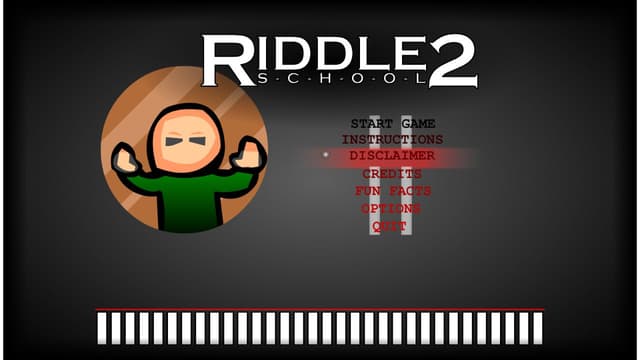
About Riddle School 2
Riddle School 2 is a point-and-click puzzle adventure about escaping a school filled with unusual characters, locked routes, and small environmental clues. The opening places the player in a music room with several objects and exits to inspect. Progress comes from noticing what can be clicked, collecting useful items, talking to people, and combining information in the correct order.
Players looking for Riddle School online can run this complete Flash-era game through a local Ruffle player on Eovant. The SWF, emulator, and WebAssembly resources are all stored with the site, and the game remains a self-contained single-player puzzle. No Flash plugin, account, or separate download is required in a modern browser.
Play brief
Game brief
- Core objective
- Inspect a strange school, collect useful objects, solve connected point-and-click puzzles, and find the escape route.
- Genre
- Puzzle Games and Point and Click Games
- Players
- SinglePlayer
- Mobile support
- Mouse input is the intended control and works well on desktop; touch precision depends on the emulator and device.
The Core Loop in Riddle School 2
Riddle School 2 is a sequence puzzle rather than a reaction game. Objects, dialogue, rooms, and inventory items form a chain, so a blocked path often means an earlier clue or item has not been understood.
The local Ruffle player preserves the Flash-era scene and click targets. Small objects can be easy to miss, making a systematic sweep of each room more reliable than random clicking.
Riddle School 2 First-Run Priorities
- Survey every exit and character before choosing a route.
- Keep a mental list of locked paths and requested objects.
- Revisit earlier rooms when a new inventory item changes the possibilities.
Riddle School 2 Common Mistakes
Using an item on the first object available
Read the dialogue and test the item against the clue it answers.
Leaving a room without checking navigation arrows
Move the pointer across edges and exits before assuming the route ends.
Riddle School 2 Modes and Progression
Progress is a connected puzzle chain with no combat or upgrade economy. Each solved interaction expands the route to another room or item.
More Games Like Riddle School 2
Play Dadish - Dadish is movement-based platforming; Riddle School 2 is slower, mouse-driven investigation.
Play Ninja Frog - Ninja Frog rewards jumps and enemy timing, while Riddle School 2 rewards observation and item order.
Riddle School 2 Features
- Free browser game
- No download required
- Instant play on Eovant
- Fullscreen support
- Responsive game window
- Quick replayable sessions
- Keyboard and mouse support
Frequently Asked Questions About Riddle School 2
Is Riddle School online free to play?
Yes. Riddle School 2 is free to play directly in the browser on Eovant.
Do I need Adobe Flash for Riddle School 2?
No. The game runs through a local Ruffle WebAssembly player in a modern browser.
What is the goal of Riddle School 2?
Explore the school, collect items, solve character and environment puzzles, and find a way to escape.
Does Riddle School 2 require a download?
No. The SWF and emulator load directly from this page.
Can I play Riddle School fullscreen?
Yes. Use the fullscreen control below the game window for a larger puzzle view.
How do I play Riddle School 2 online?
Explore a strange school, collect useful items, solve point-and-click puzzles, and find a clever route out of class. Open the game above to start directly in your browser without a separate installation.
What are the Riddle School 2 controls?
Use the mouse to inspect people, doors, objects, and arrows around each room. Click inventory items at the bottom of the screen, then click where you want to use them.
Does Riddle School 2 work on mobile?
Mobile support depends on the game build, browser, and device performance.
Games Like Riddle School 2

Explore by play style
More Riddle School 2 Games
Find similar browser games by mechanic, pace, or match style. Each collection includes direct game links and a short guide to choosing where to play next.