
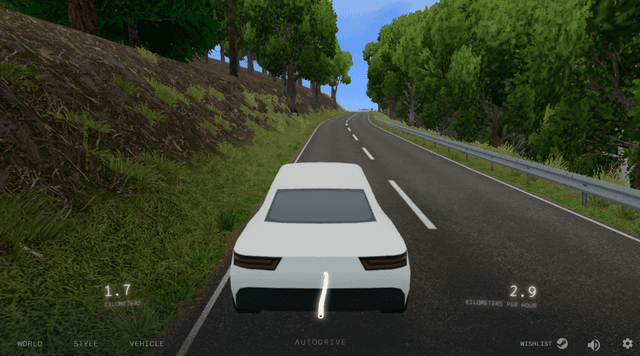
About Slow Roads
Slow Roads is a calm driving game built around an endless generated road rather than races, traffic, or a finish line. Choose a vehicle, follow the landscape at your own pace, and make small steering corrections through bends and hills. The local browser build lets you change the scene, road width, camera view, speed factor, grip factor, and touchscreen mode, so a short drive can feel very different from the next one.
Play actively with WASD or the Arrow keys, or press F to let autodrive handle the route while you take in the scenery. If you leave the road, R returns the vehicle to the pavement. That low-pressure loop is what separates Slow Roads from a racing game: the goal is a smooth, scenic drive you can shape through settings, not a lap time or score.
Driving brief
Vehicle and route brief
- Core objective
- Drive an endless generated road at your own pace, adjust the local settings to match the mood, and use manual controls or autodrive to keep moving.
- Genre
- Driving Games and Casual Games
- Players
- SinglePlayer
- Mobile support
- Touchscreen mode is available in the local build, but keyboard controls and a larger desktop screen give the clearest view of the road.
How Slow Roads Handles
Slow Roads is an open-ended driving simulator with no race, traffic challenge, or fixed finish line. The central loop is choosing a road and scene, keeping a smooth line through generated curves, and changing settings when you want a different feel.
The local build supports manual driving with WASD or Arrow keys as well as F for autodrive. Road width, camera mode, speed factor, grip factor, fullscreen, and touchscreen mode make the same route playable in different ways.
Slow Roads Driving Priorities
- Start with manual steering and make one small correction at a time through a bend.
- Press R to reset to the road if an off-road recovery stops being relaxing.
- Use F for autodrive when you want to explore a scene without actively steering.
Slow Roads Driving Mistakes
Treating every curve like a race
Lower the speed factor or use a smoother line before adding speed.
Changing several settings without knowing what helped
Change one setting—such as grip, road width, or camera mode—then take another short drive.
Slow Roads Routes and Progression
Progress is self-directed: longer routes, different scenes, vehicle and camera choices, and smoother driving replace score pressure or upgrades. The most useful improvement is learning which settings make a route feel comfortable.
More Games Like Slow Roads
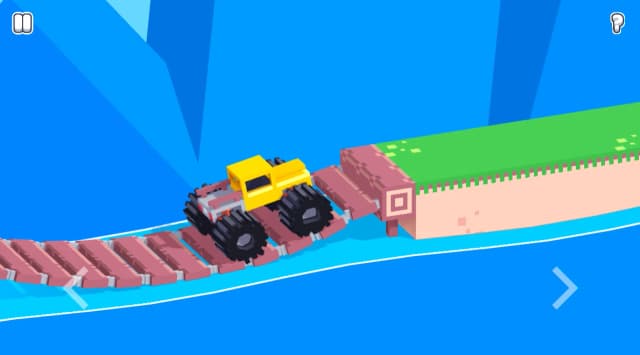
Play Drive Mad - Drive Mad turns vehicle balance into short obstacle puzzles, while Slow Roads keeps the focus on a calm, continuous route.
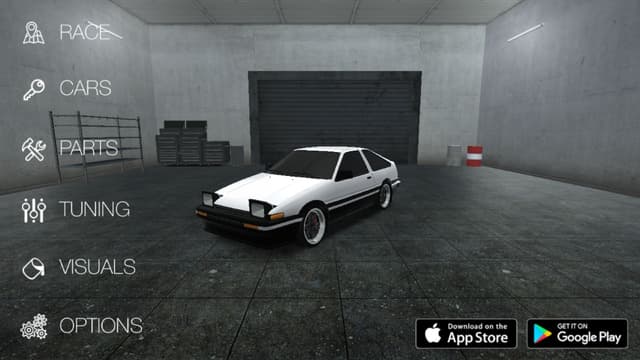
Play Drift Hunters - Drift Hunters scores controlled slides and tuning, while Slow Roads rewards a clean, quiet line.
Slow Roads Controls
Use W/S or Up/Down to accelerate and brake or reverse, and A/D or Left/Right to steer. F toggles autodrive, R returns the vehicle to the road, Shift boosts, and Q/E changes the scene.
Desktop Controls
- Use W/S or the Up/Down Arrow keys to accelerate and brake or reverse; use A/D or the Left/Right Arrow keys to steer.
- Press F to toggle autodrive, R to return the vehicle to the road, Shift to boost, and Q/E to change the scene.
Mobile Controls
- Mobile support may depend on the game version and device.
- For the most reliable experience, use a modern desktop browser with keyboard and mouse controls when available.
Slow Roads Features
- Free browser game
- No download required
- Instant play on Eovant
- Fullscreen support
- Responsive game window
- Quick replayable sessions
- Keyboard and mouse support
Frequently Asked Questions About Slow Roads
What is Slow Roads?
Slow Roads is a calm browser driving game with endlessly generated roads, adjustable settings, scenic routes, and no race or score requirement.
Is Slow Roads free to play?
Yes. Slow Roads runs free in a modern browser with no download required.
Is Slow Roads a web version?
Yes. This page runs the browser version, where you can drive generated roads, adjust settings, and use autodrive without installing anything.
What are the Slow Roads controls?
Use W/S or the Up/Down Arrow keys to accelerate and brake or reverse; use A/D or the Left/Right Arrow keys to steer. Press F to toggle autodrive, R to return the vehicle to the road, Shift to boost, and Q/E to change the scene.
Can I use autodrive in Slow Roads?
Yes. Press F to toggle autodrive. You can still change settings and return to manual driving whenever you want.
Can I change the road or driving settings?
Yes. The local build includes settings for road width, camera mode, speed factor, grip factor, fullscreen, and touchscreen mode.
Does Slow Roads work on mobile?
Mobile support depends on the game build, browser, and device performance.
How do I play Slow Roads online?
Take an endless procedural drive through changing landscapes in a calm single-player browser game. Open the game above to start directly in your browser without a separate installation.
Games Like Slow Roads


Explore by play style
More Slow Roads Games
Find similar browser games by mechanic, pace, or match style. Each collection includes direct game links and a short guide to choosing where to play next.